pullwell
Pullwell
A fast, reliable download manager for Windows 10 and 11, with a browser extension. It needs no account, and the only thing it sends are problem reports, which you can turn off.
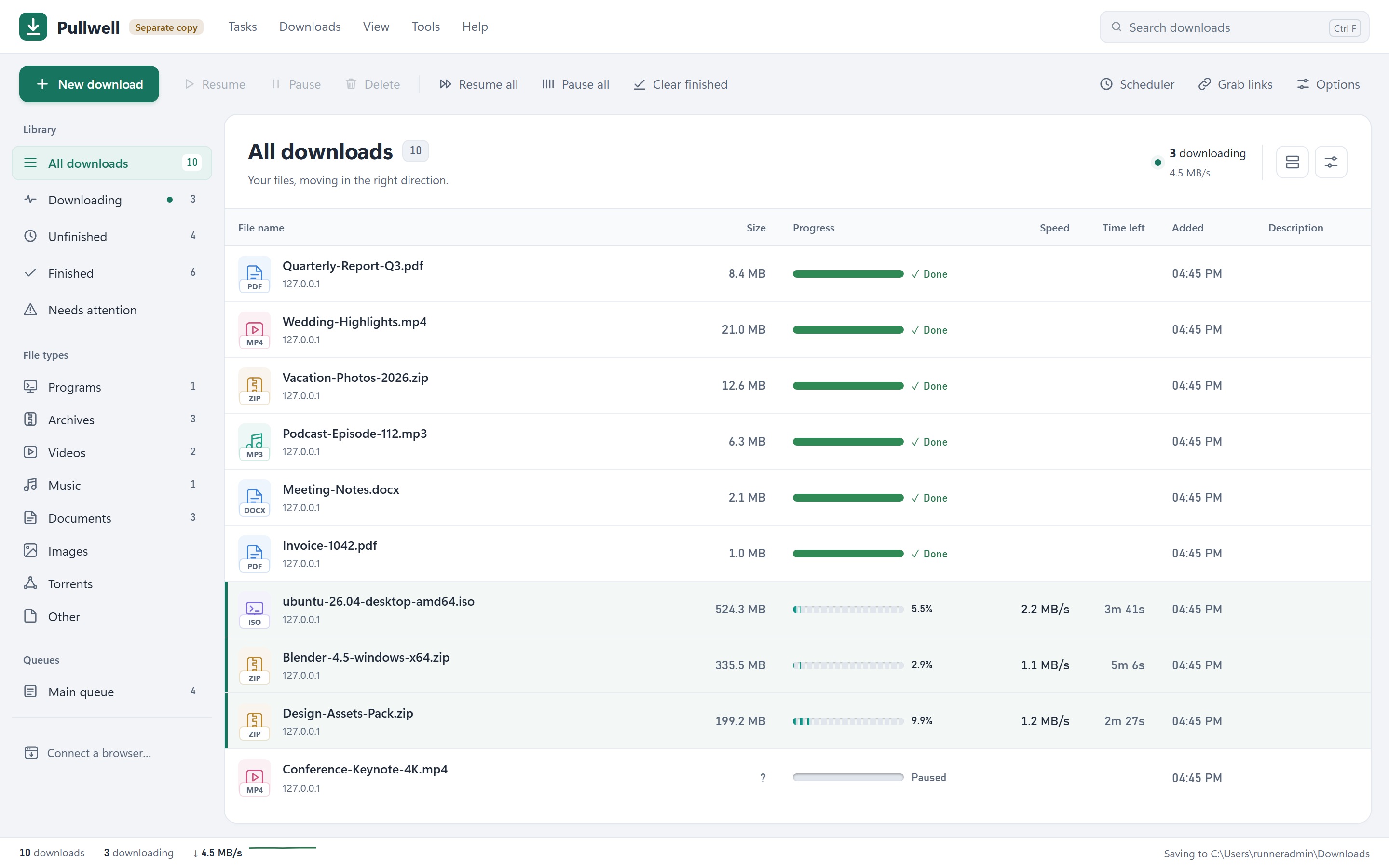
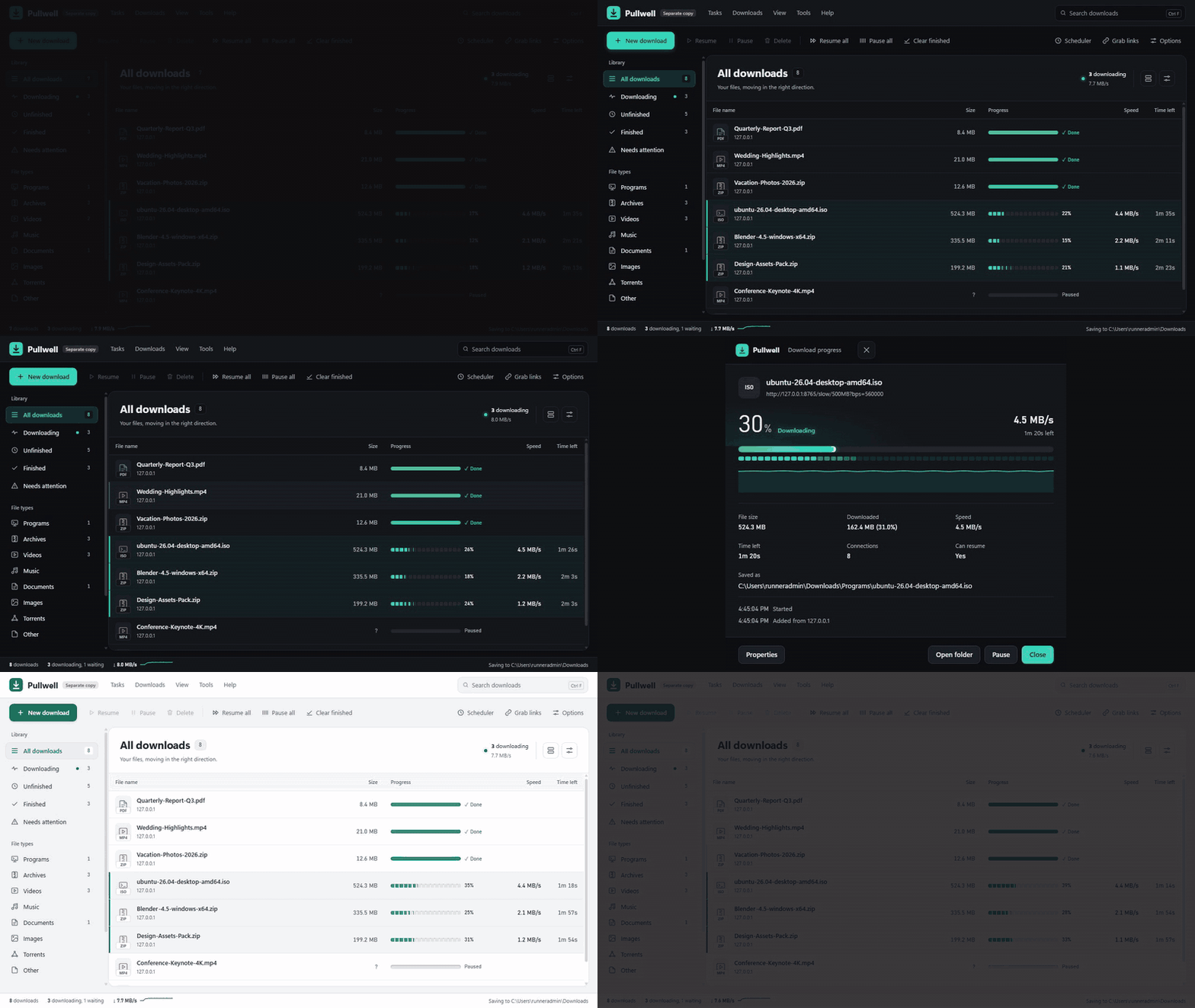
Watch the demo as a video (MP4, 24 s). Screenshots and video are captured from the real Windows window by the Media workflow.
Status: first public versions, in daily use. The name Pullwell is final.
Install
- Download
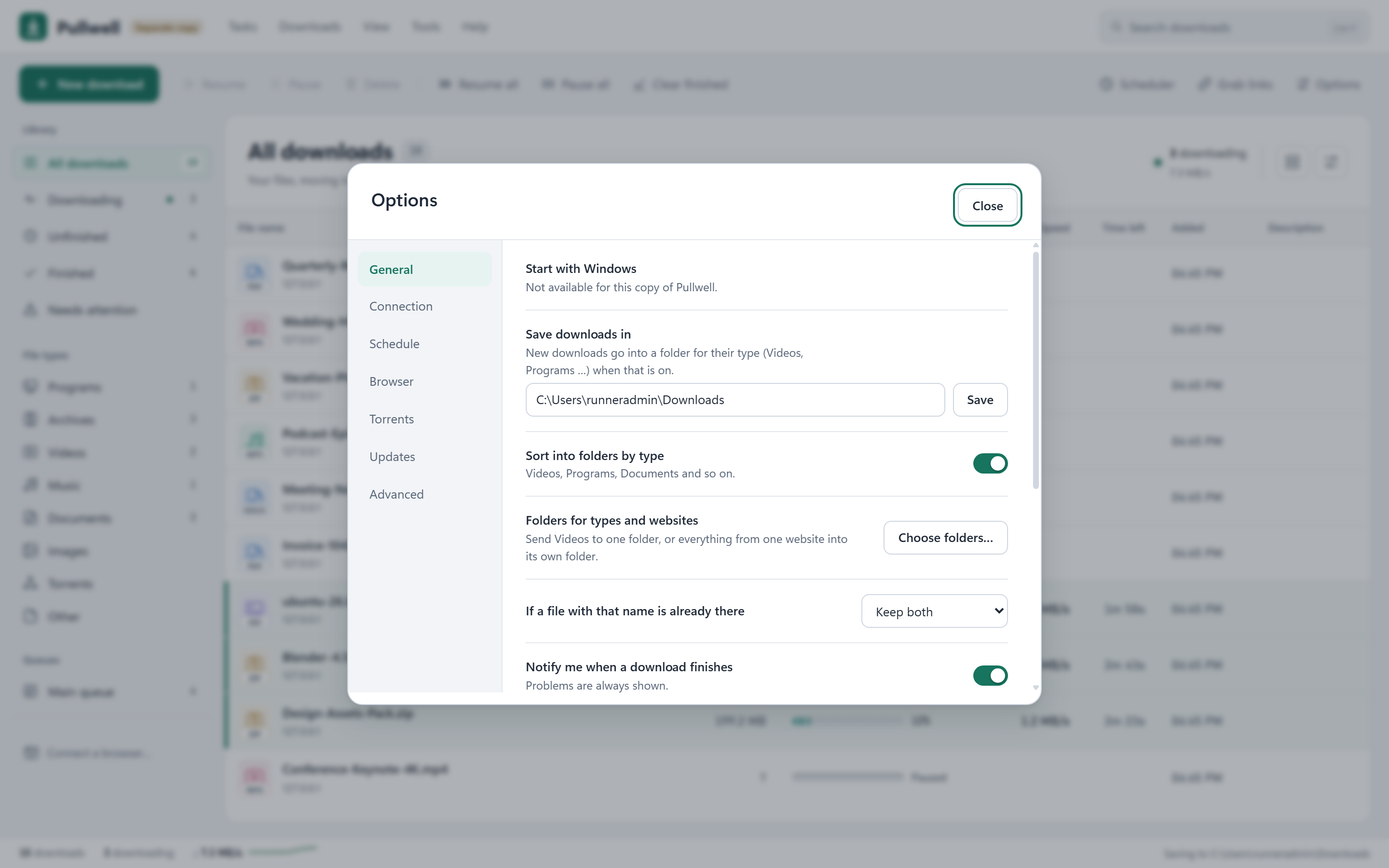
Pullwell.exefrom the latest release. - Put it in a folder of its own, for example
C:\Users\<you>\Pullwell\, and start it. There is no installer and no administrator prompt. Its settings and download list are kept in adatafolder next to it. - Windows may warn that the program is not known yet (it is not signed). Choose More info → Run anyway.
Pullwell then adds itself to your Start menu. It updates itself: new versions are fetched from this page, checked against their SHA-256 fingerprint and installed when nothing is downloading. Unfinished downloads continue afterwards. Options → Updates can check now, ask first instead, or go back to the previous version. Options → Advanced → Uninstall removes it again. Your downloaded files are never deleted.
Pullwell needs Microsoft Edge WebView2, which is part of Windows 10 and 11. If WebView2 is missing, the window opens in Edge or Chrome instead.
Connect your browser
Pullwell carries its own browser extension, so the extension always matches the program.
- In Pullwell, open Tools → Connect a browser (or Options → Browser). Download the extension for Chrome/Edge or Firefox there, and note the pairing code.
- Chrome, Edge or Brave: unzip the file. Open
chrome://extensions(Edge:edge://extensions), switch on Developer mode and choose Load unpacked, then pick the unzipped folder. Firefox: openabout:debugging→ This Firefox → Load Temporary Add-on, and pick the zip. - Click the extension’s icon and type the pairing code.
From then on, big downloads go to Pullwell (5 MB and up; you can change the size), and links get a Download with Pullwell entry in the right-click menu.
Pullwell does not have to be open. Each time it runs it registers a small starter for your browsers (for your Windows user only, no administrator rights; Chrome, Edge, Brave, Chromium and Firefox). When you click a big download, or open the extension’s popup, and Pullwell is closed, the browser starts it in the notification area and the download is taken over a moment later. Quitting Pullwell from the tray keeps it quit until the next download. This works for any copy you have opened once, installed or not, and follows the program if you move it. If the starter is not there yet (Pullwell was never opened on this computer), the browser downloads the file itself and the popup says to open Pullwell once.
If you loaded the extension before 0.14.0, load the new zip once (it asks for the extra permission to start Pullwell).
What it does
- Downloads with several connections at once, and resumes after a crash, a restart or a lost connection.
- Never reports a file as finished unless its size, and its checksum when one is known, is right.
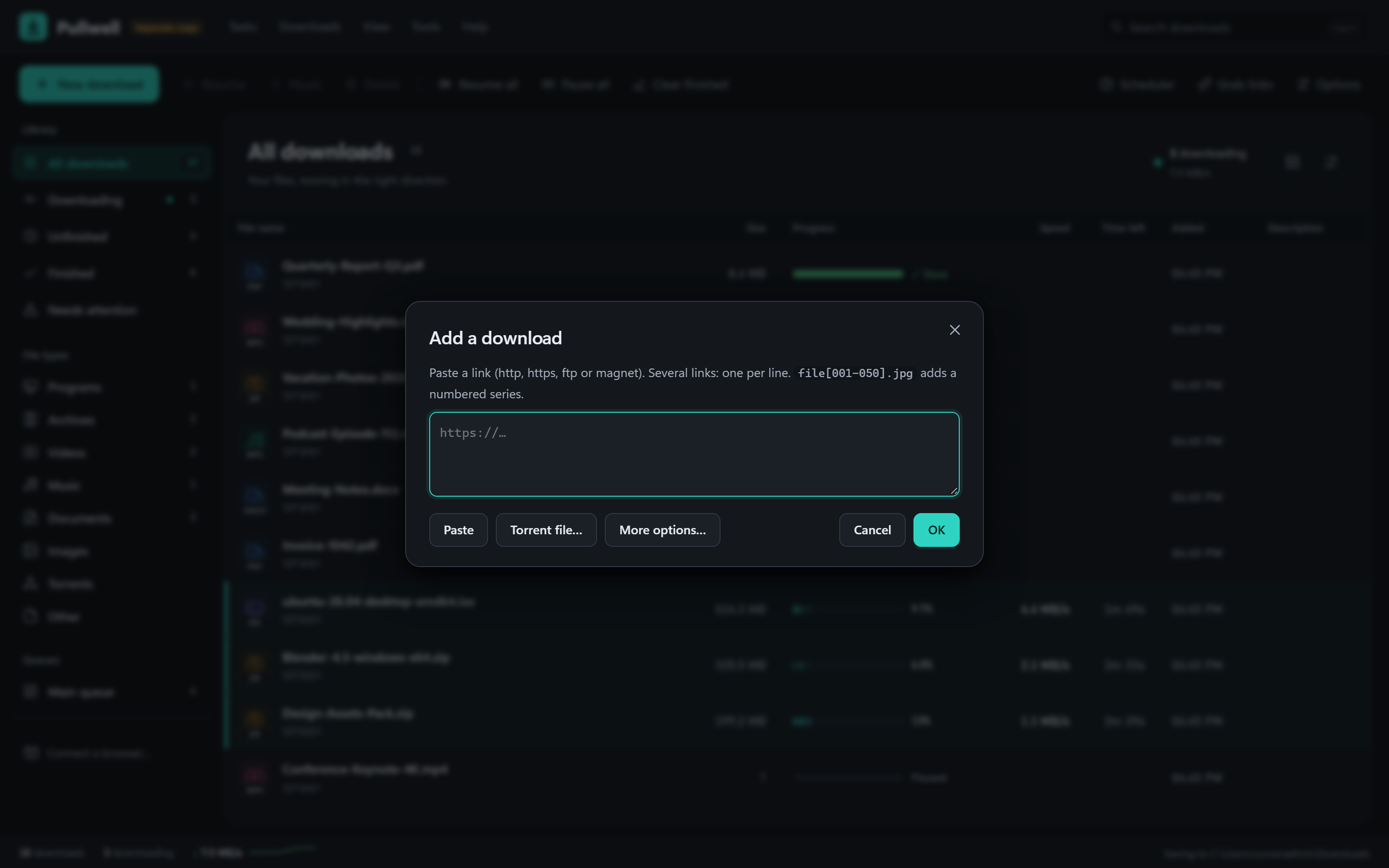
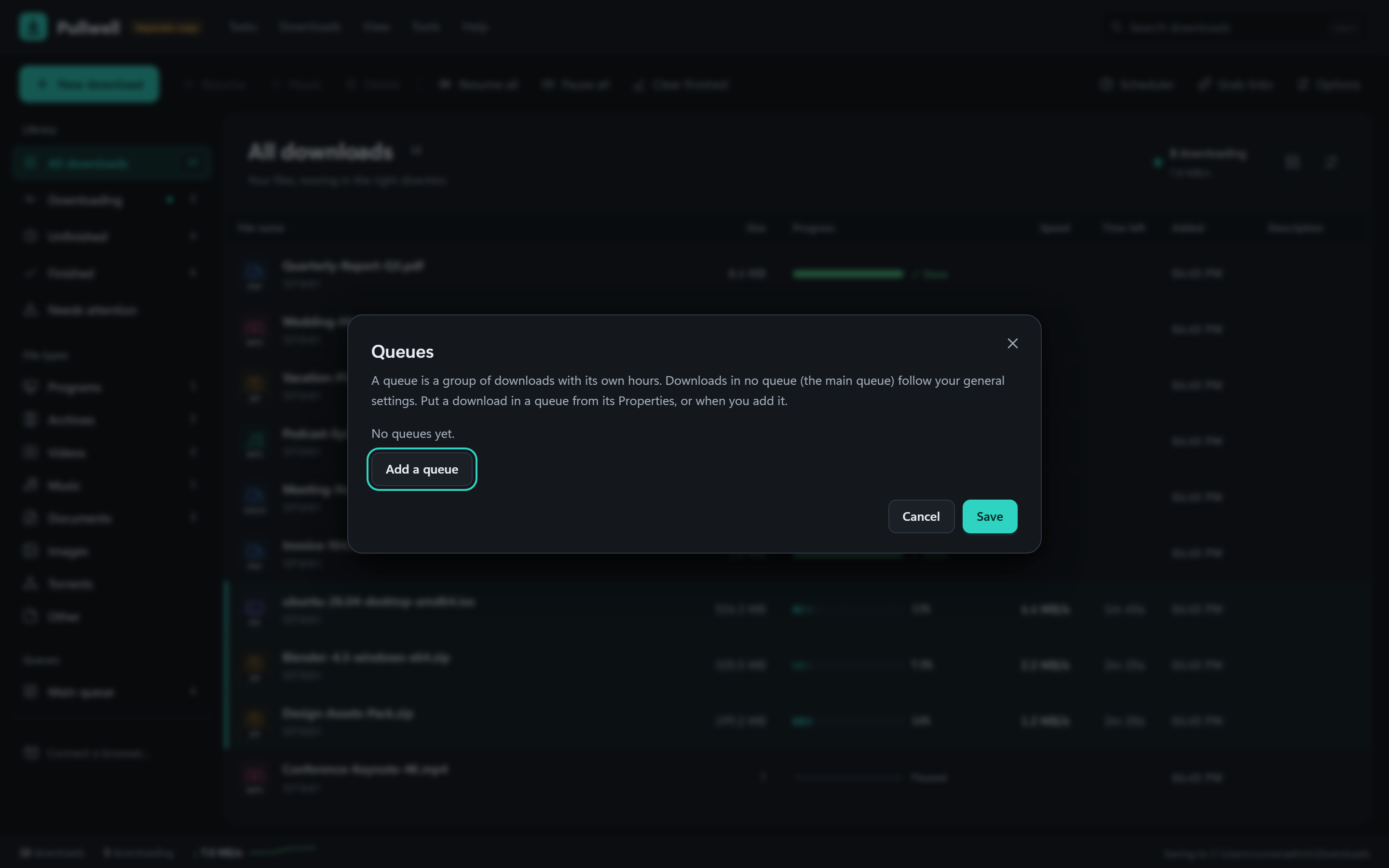
- Queues with their own hours, a scheduler, speed limits (overall or per download), categories, numbered series
(
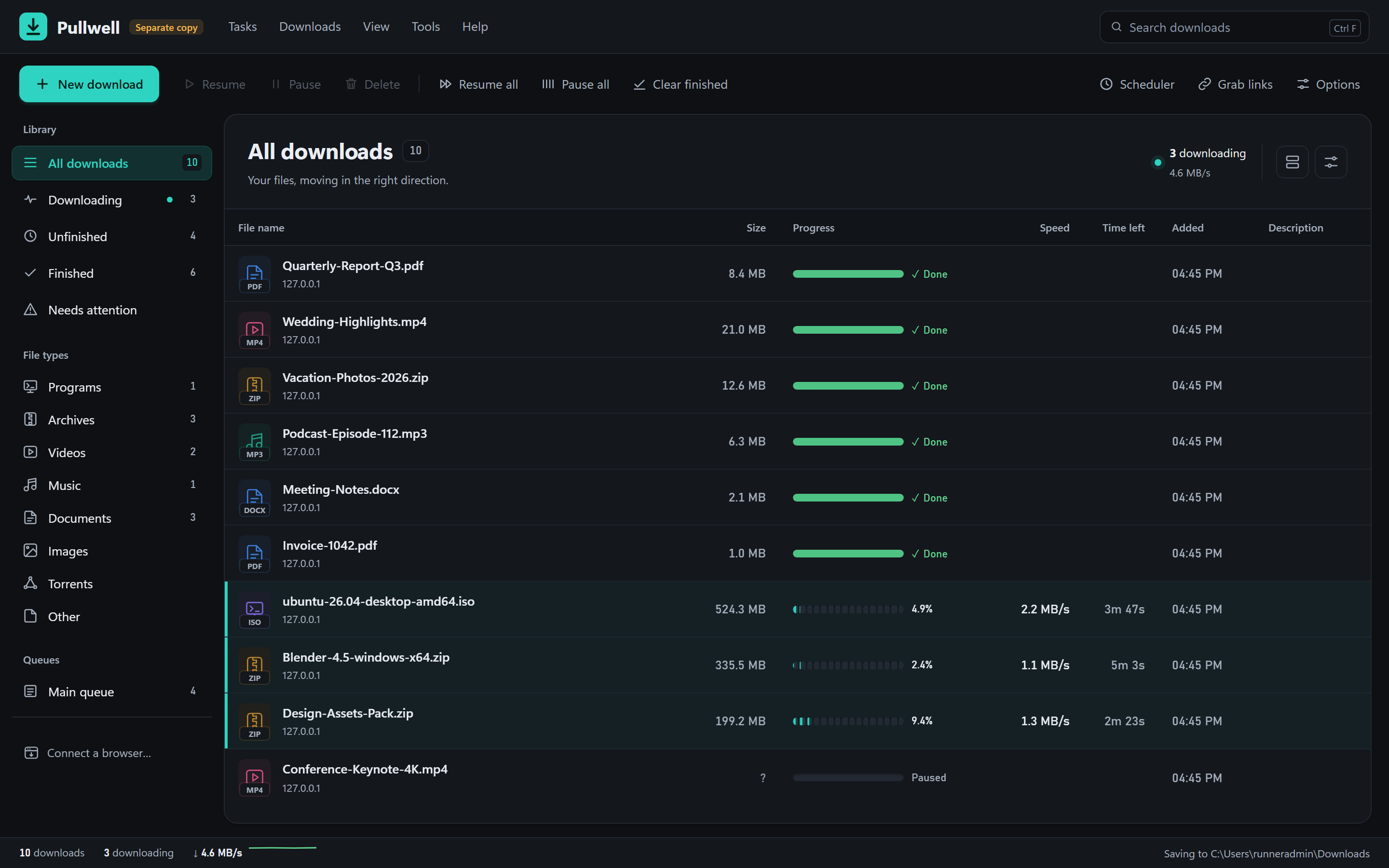
file[001-050].jpg), mirrors, FTP, HLS/DASH web video and BitTorrent. - A compact window with a menu bar (Tasks, Downloads, View, Tools, Help), a toolbar, categories and queues, and a sortable list. It works with the keyboard too: Alt or F10 opens the menus. Help → Keyboard shortcuts lists the shortcuts.
- Light and dark themes, comfortable or compact rows, responsive layouts, and reduced-motion support.
- A progress view for each download, with speed, time left, connections and the parts of the file. Click its pop-out arrow or choose Open in separate window to keep it in an independent window. Closing the window leaves the download running.
- Windows notifications with Open and Open folder when a download finishes.
- Rename a download (F2), a speed limit at a click on the status bar, and a proxy (the same as Windows, none, or one you type, http or socks5).
- The PC stays awake while something downloads (you can switch that off).
- Optional: when you copy a link to a file anywhere in Windows, a notification offers to download it.
Pullwell.exe <link>adds a link from a script or another program.
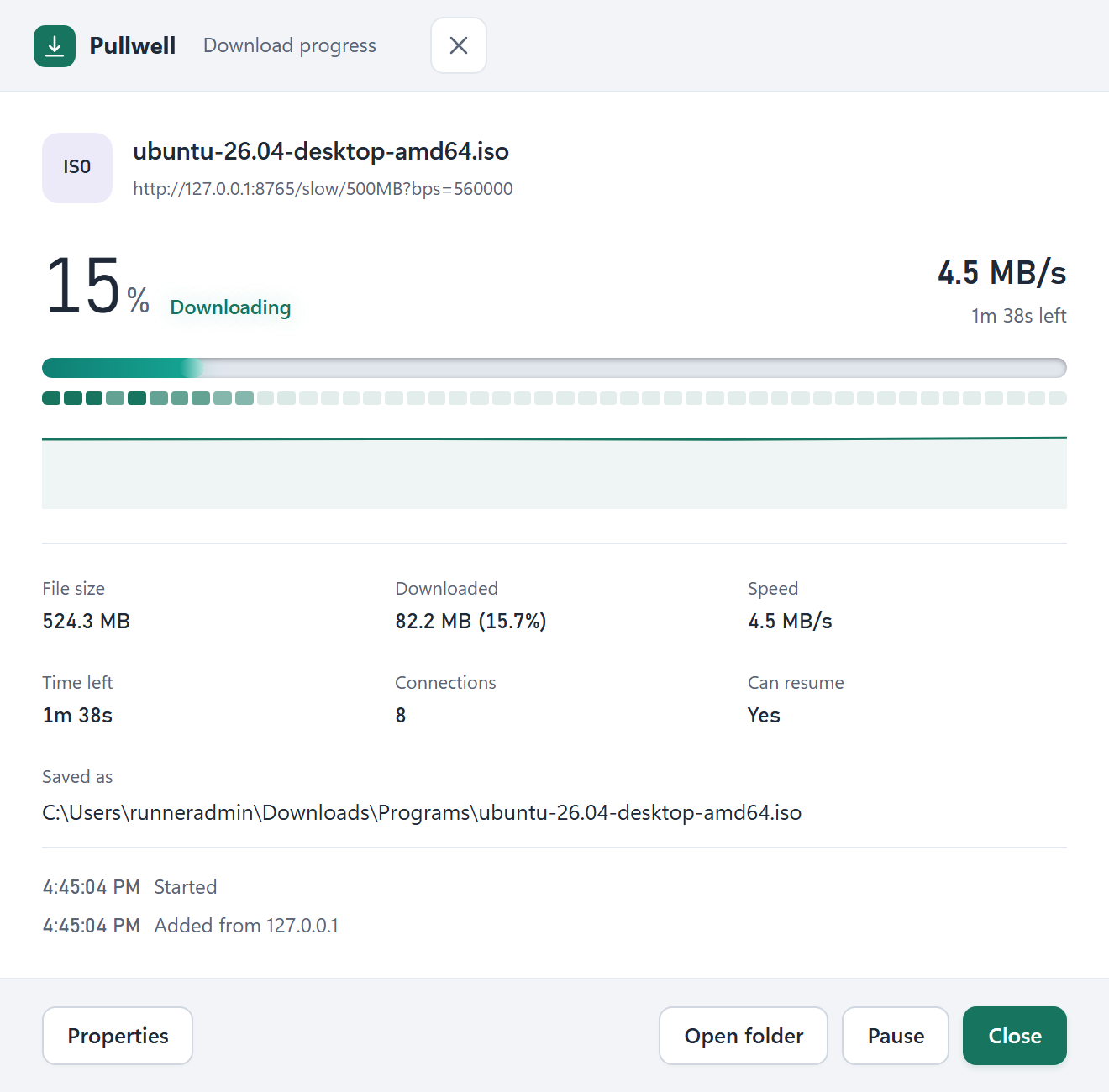 |
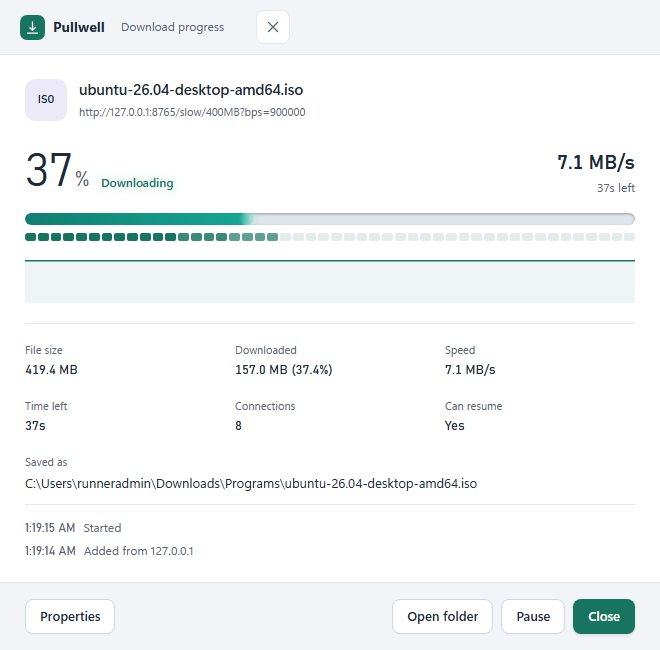 |
 |
 |
 |
 |
The previews use sample downloads and local test files from scripts/dmtest/fixtures.py.
Privacy
Pullwell contacts only the sites you download from, GitHub to check for updates, and the developer’s server to send
problem reports (below). It needs no account. Its window and its local interface answer only on 127.0.0.1:
- Other programs and web pages cannot change anything through that interface.
- A browser can only send downloads after you pair it with a code.
- Copied links are only looked at when you switch that on, and only links to files are offered.
- The log (
Tools → Open log, kept on your computer, about 2 MB) records what the program did and why it failed, never links, sites, file names, your Windows user name or your folders. - Problem reports are on by default, shown once in the window before anything is sent, and can be turned off in
Options → Advanced → Send problem reports. About every 6 hours (and after a crash) the new lines of that log are sent, so errors on other people’s computers can be found and fixed, together with: a random number made on your computer (not linked to you), the Pullwell and Windows versions, the processor count, the language, and a few on/off settings. Never sent: links, sites, file names, folders, your user or computer name, your downloads list, cookies or saved logins. The reports go to a Firebase database of the developer; its rules only let reports be added, and only the developer can read them. The setup is indiagnostics/.
Building
Go 1.24, standard library only, no other modules.
go vet ./...
go test ./...
go run ./scripts/mkres     # icon and version details for Windows (writes rsrc_windows_amd64.syso)
GOOS=windows GOARCH=amd64 CGO_ENABLED=0 go build -ldflags "-s -w -H=windowsgui" -o Pullwell.exe .
The full test suite takes about 7 minutes, most of it the download engine in dm/. On Linux the program runs
without a window for development: go run . -root /tmp/pw, then open http://127.0.0.1:9197/.
Window checks in a real browser (scripts/uitest/) need python3 scripts/dmtest/fixtures.py running, and Chrome
started with --remote-debugging-port=9333. Then run node menu_check.mjs 9333 http://127.0.0.1:9197/
http://127.0.0.1:8765 <out> (the same for ui_check, prog_check). ext_check.mjs loads the extension into
Playwright’s Chromium.
There are no test builds: only releases are published. Changing VERSION (and appVersion in appname.go)
publishes a release, which installed copies pick up by themselves.
Documents
- Road to 1.0: what is done and what was checked on a real Windows PC
- Changelog
- Publishing: the steps only the owner can take (browser stores, winget, code signing)
- Window, tray and notifications design
More from the developer
Pullwell is one of several small free tools made by Nisar Ahmad. The others are listed at nisarworks.com, and the link is also in Help → About.
Licence
MIT. Pullwell is free and open source; voluntary donations are welcome.